
 Blinkit
 Short Payment Reconciliation Services
ForceSight links your Blinkit purchase orders, GRNs, invoices, debit notes and payment statements to find short payments that no valid record explains. Our managed team investigates the eligible cases and pursues them through the agreed process, while valid contractual deductions remain payable.
Eligibility depends on Blinkit policy, your evidence, contract terms and filing windows. Client approvals and portal access may still be needed.
Use cases
Claim and reconciliation use cases on Blinkit
- Short payment against an invoice: the payment advice pays less than the invoiced amount and no matching debit note explains the gap.
- Partial settlement: part of a PO-linked invoice is paid and the balance stays open.
- PO-to-invoice mismatch: the invoice quantity or rate differs from the purchase order.
- GRN shortage: the goods receipt shows fewer units than were invoiced and the payment is reduced for the difference. This is valid where the GRN supports it.
- Debit notes without a supporting record: a debit note that cannot be traced to a GRN, invoice line or agreed rate.
- Offsets: amounts netted against your Blinkit receivables, where your terms allow. These are shown as a separate category and matched to the ledger.
- Purchase-order and other supply flows: each model can settle differently, so each is reconciled on its own basis, as scoped.
What we need
Data and evidence we need
- Blinkit Seller Hub access for your account, with the permissions the managed team needs.
- Purchase orders with PO line detail.
- Invoices and any credit notes.
- GRN or goods receipt records, with signed warehouse copies where they exist.
- Debit notes with their stated reasons.
- Payment advices or statements of account, and settlement reports with cycle dates.
- Bank credit records for matching.
- Your agreed price list or rate terms.
- For offset cases: ad-spend statements and ledger entries.
- Named approvers who sign off on submissions.
Evidence needed for each dispute type is confirmed before filing.
How it works
Sample discrepancy-to-recovery workflow
Illustrative example, not a real case: a purchase order for 500 units, an invoice for 500 units, a GRN showing 480 units received, and a payment advice that pays the invoice short with a debit note for 20 units.
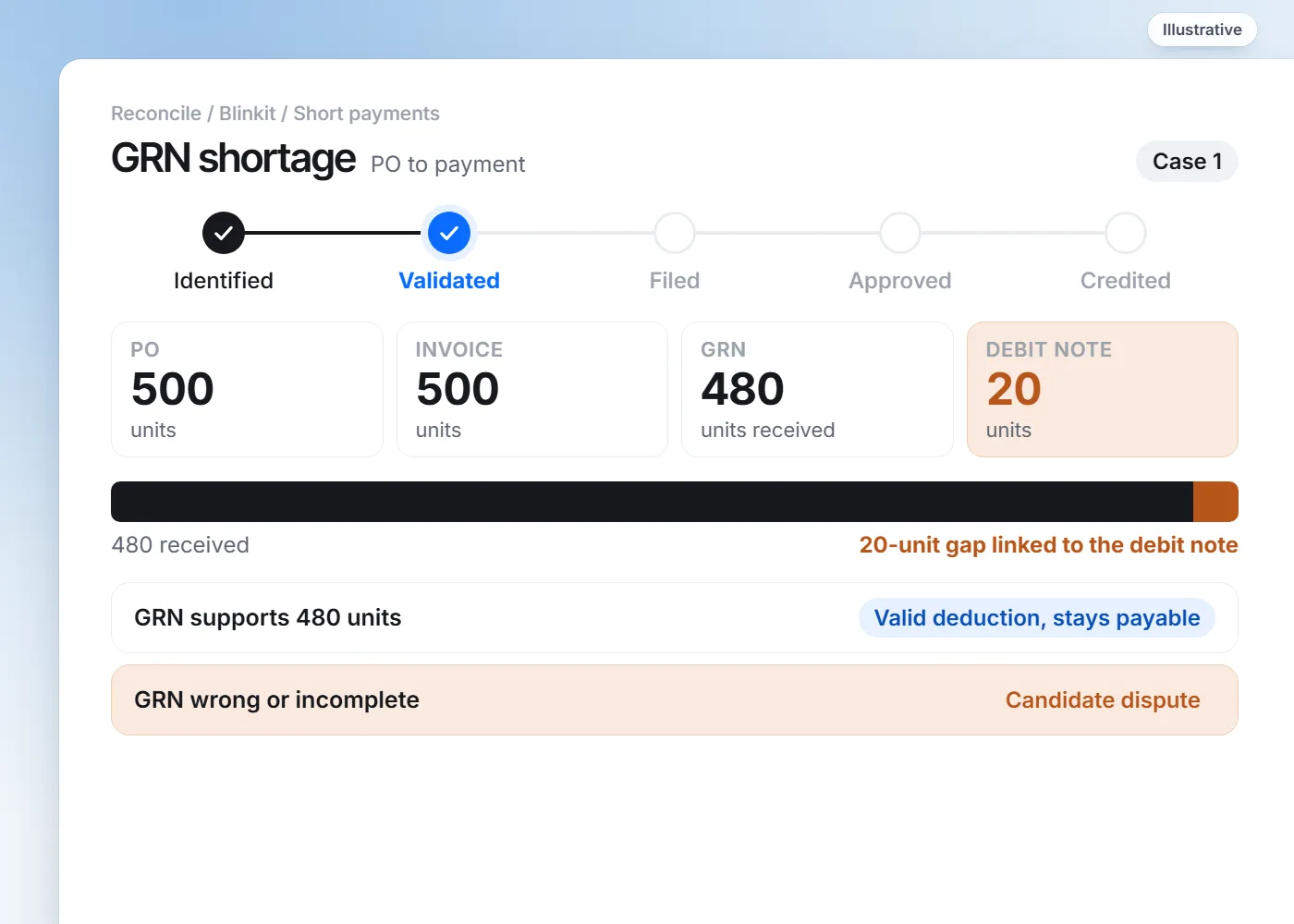
See the numbers as a table
| Document | Units |
|---|---|
| PO | 500 |
| Invoice | 500 |
| GRN, units received | 480 |
| Debit note | 20 |
| If the GRN supports 480 units | Valid deduction, stays payable |
| If the GRN is wrong or incomplete | Candidate dispute |
1
Connect:
- Ingest the PO, invoice, GRN, debit note and payment advice for the settlement cycle. Agree which records are the source of truth.
2
Reconcile:
- Match 500 ordered, 500 invoiced and 480 received. Flag the 20-unit gap and link it to the debit note.
3
Validate:
- Check the GRN and delivery records. If they support 480 units, the 20-unit deduction is a valid contractual deduction and stays payable. If the GRN is wrong or incomplete, mark the gap as a candidate dispute and collect the missing evidence.
4
File & pursue:
- For validated candidate disputes only, prepare the case file and submit it through Blinkit's standard process after your approval. Follow up with Blinkit and rework any response that needs more evidence.
5
Verify credit:
- When a reversal is approved, match it to a settlement entry or bank credit. Report it as credited only after it posts. Each exception keeps its own stage: identified, validated, filed, approved, credited.
Division of work
What ForceSight automates vs what the specialist handles
ForceSight automates
- Matching POs, invoices, GRNs, debit notes, payment advices and bank credits.
- Flagging short payments, unexplained gaps and debit notes with no matching record.
- Grouping exceptions by reason, channel and age.
- Assembling case files from the records available.
The specialist handles
- Deciding whether each exception is valid under your contract and Blinkit's process.
- Confirming the evidence is sufficient before anything is filed.
- Submitting cases through permitted channel processes, following up and handling rework.
- Escalating through your own account contacts and getting your approval for each next step.
Scope and limits
Eligible dispute types and limitations
- Short payments with no valid debit note, GRN or invoice basis.
- GRN-linked shortages where the GRN is disputed and supporting evidence exists.
- Rate differences against agreed price terms.
- Valid contractual deductions remain payable or recorded. They are not disputed.
- Not every open invoice, debit note or short payment is recoverable.
- Filing windows apply.
- Filing needs portal access you grant and your approval. Where Blinkit's process does not allow a submission, the case is reported instead of filed.
- Cases under other supply models, and offset cases, follow their own rules and may not be filable.
- A case counts as recovered only when the credit is matched to a settlement or ledger entry.
- Recovery is not guaranteed. A claim can be rejected even when the evidence is complete.
ForceSight is an independent service provider. It is not affiliated with, endorsed by or sponsored by Blinkit. Blinkit is a trademark of its owner.
FAQ
Frequently asked questions
How do you identify a short payment from Blinkit?
We compare the PO, invoice, GRN, debit note, payment advice and bank receipt under your contract and settlement model. Any amount that no valid record explains is listed as an exception.
Are all Blinkit short payments recoverable?
No. Valid contractual deductions remain payable or recorded. Only exceptions with suitable supporting evidence are treated as potential disputes.
What is the difference between a short payment and a debit note?
A short payment is an amount paid below the invoiced value. A debit note is a deduction Blinkit raises against an invoice, usually with a stated reason. We check both against the PO and GRN to see whether the difference is explained.
Do you handle every Blinkit supply model the same way?
No. Each model settles differently and needs its own matching rules. Coverage for each model is confirmed during scoping.
What evidence do we need to dispute a GRN shortage?
Typically the GRN, the invoice and PO, delivery records and any receipt images your warehouse holds. We confirm the exact requirements before filing.
Can ForceSight file a short-payment dispute without our team?
For accounts where you grant access and for supported processes, our team prepares and submits cases and handles follow-ups. Your team may still need to approve submissions, provide evidence or escalate through your Blinkit account contact.
How are ad-spend and receivable offsets handled?
Offsets are matched to the ledger and reported as a separate category. An offset is not counted as recovery unless it appears in a settlement or ledger entry.
How do we know a Blinkit credit was actually received?
Reports separate identified exceptions, validated value, filed cases, approved amounts and credits actually received. Each credit is matched to a settlement or bank entry. Closing a ticket alone is not counted as recovery.
Managed reconciliation & claims recovery
Find out which Blinkit short payments are worth pursuing
Schedule a CallShare sample POs, invoices, GRNs and payment advices. We will review which exceptions are valid deductions and which may warrant a dispute.